


Your reservations team answers the same questions every week. Pool hours, early check-in, parking, whether the hotel takes dogs.
Most hotels already keep prepared replies for exactly this, in a document that rarely gets opened, which is why staff end up pasting the guest’s email into an outside AI tool instead that probably will make mistakes.
The guest waits either way, and a quote that goes out tomorrow is competing with three that went out from your competitors within the hour.
With Email Copilot, every guest email opens with a reply already written from your own property information, ready for your team to carefully check and send.
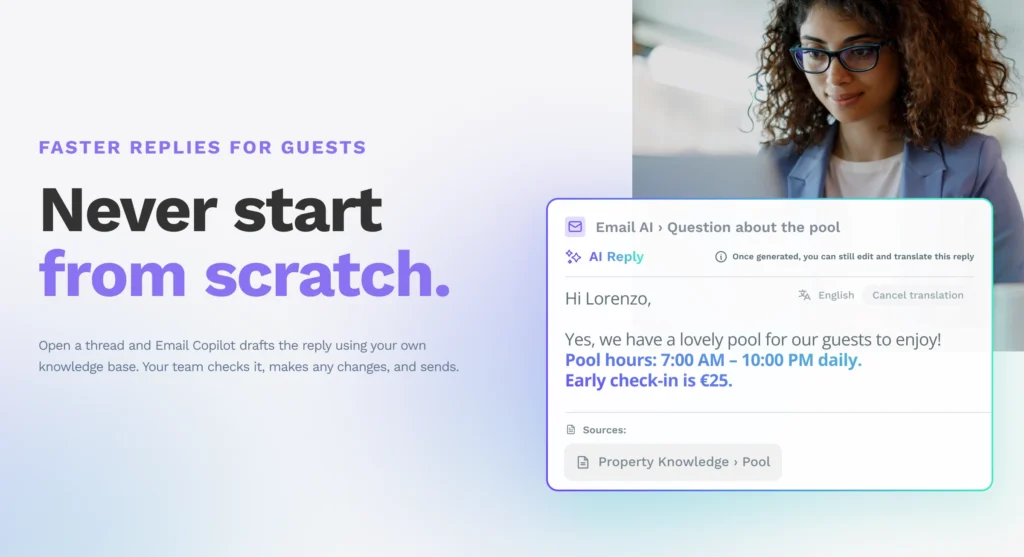
Email Copilot is an AI assistant that drafts email replies for reservations and front desk teams, in the same HiJiffy inbox they already work in. Your staff reads it, changes whatever they want to change and sends it, or ignores it and writes their own. Nothing is ever sent automatically.
Two things decide what each suggestion says, and you control both.
Step 1: The reply is drafted from your own content.
Email Copilot matches the guest’s questions to your Answer Templates, finds the facts in your Knowledge Base and writes one reply. A guest who asks about check-in, parking and dogs in the same email gets a single answer covering all three.
“We answer in a day now. Last summer it was 5 days.”
Ainoa Martín Vilar – Reservations Supervisor – Oliva Nova Beach & Golf Hotel
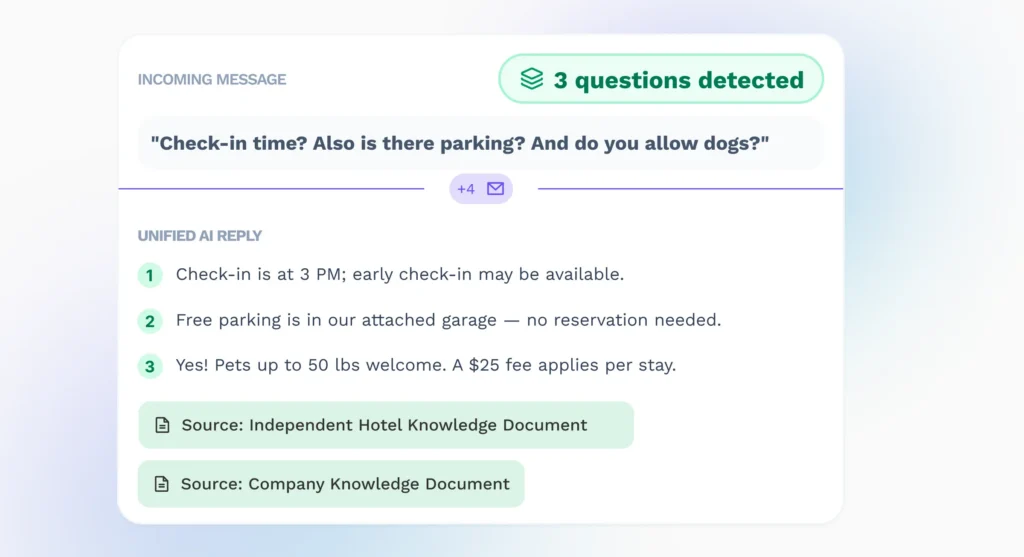
Three questions in one email, one reply that answers all of them.
Step 2: Anything missing is flagged, not invented.
If a detail is not in your Knowledge Base, or a topic needs a decision from your team, Email Copilot marks it in the draft. It says what has to be completed, for example a luggage storage policy you have never written down, and the Send button stays disabled until your team has dealt with it.

A reply with gaps in it cannot be sent until your team has filled them in.
Step 3: Your team checks it and sends.
They can edit the reply, translate it and adjust the tone to truly match your hotel’s brand voice before it goes out.
“We’re a kind, approachable hotel, so we don’t want the language to be too formal, and I can switch easily to informal and friendly.”
Harriet Marais, Reservations Agent, Hotel 1711
Most of the worry about AI answering guests comes down to one question: what happens when it does not know the answer. Email Copilot says so and stops. Everything it does write, you can trace.
You can see where every answer came from. Insights lists the Answer Templates used and the documents or website pages behind the reply. Your team can check it before sending, and a manager can check it afterwards.
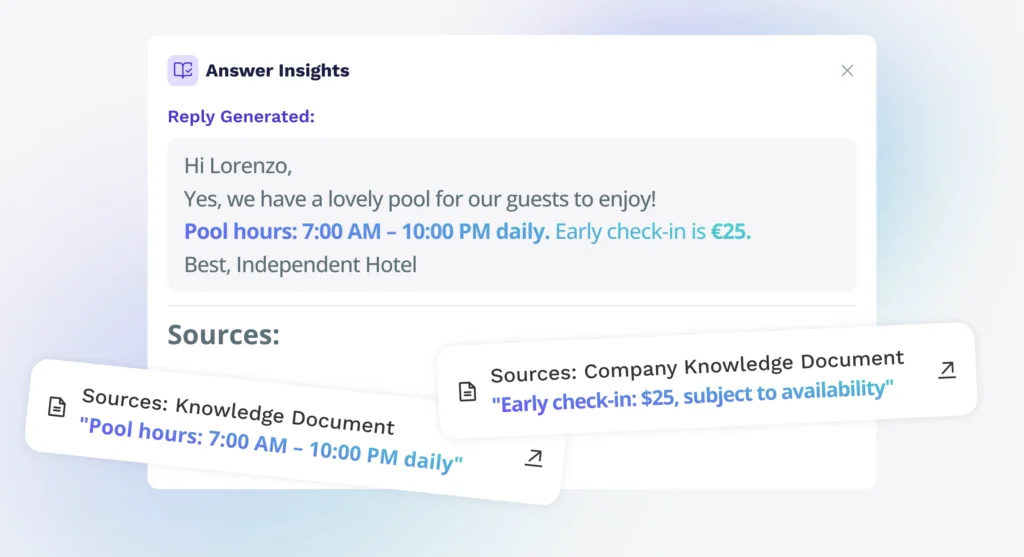
Every answer traces back to the document it came from.
You can see what the AI wrote and what a person had to edit. Sent emails are labelled “Generated by AI” when the suggestion went out as it was, and “Generated with the help of AI” when the staff edited it first. The inbox can be filtered on both.
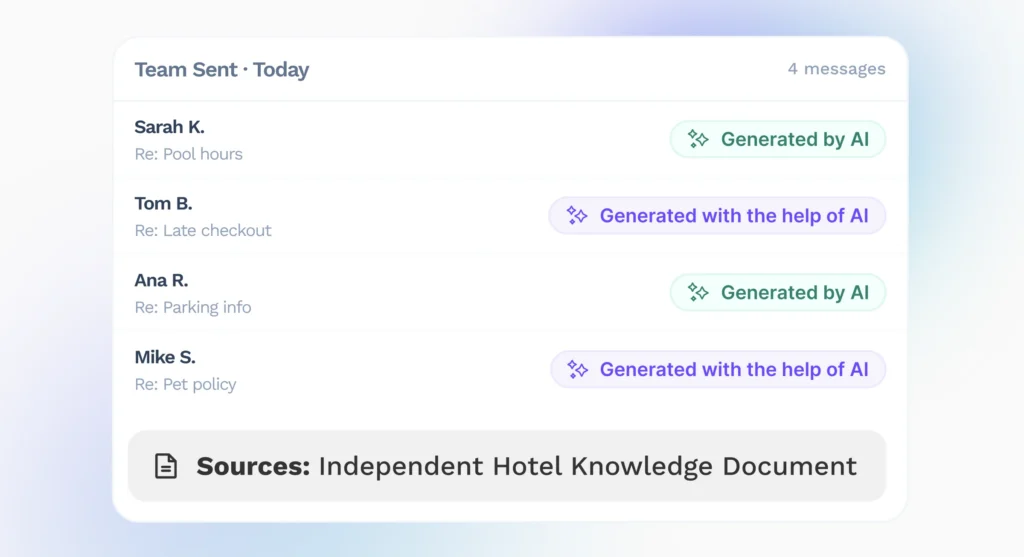
The label shows whether a reply went out as the AI wrote it or was edited first.
You decide how much it answers on its own. Each topic in a template is either something the AI answers from your Knowledge Base and/or something a person confirms, and you can move that line as your team gets more comfortable.
A dedicated report shows how much of the inbox Email Copilot is handling. You can see how many suggestions your team accepts or edits, how much drafting time is being saved, and which questions your Knowledge Base could not answer. Every gap flagged to an agent becomes a line in your reporting, and closing it improves the next reply.
“The AI is directly integrated, so it’s quicker to respond than typing out your own reply and then checking it on ChatGPT to make sure it’s polite enough. That’s the strong point of the tool.”
Digital marketer at a luxury Mauritian hotel group
Email Copilot is an add-on to the email channel. If you already use HiJiffy, your Customer Success representative can talk you through pricing and switch it on for one mailbox or for all of them. If you are not with HiJiffy yet, a demo is the quickest way to see it in a hotel inbox.
Already using HiJiffy? The Help Centre has over 200 articles, step-by-step guides and troubleshooting tips. New to HiJiffy? Book a demo, and we will show you what it does with an inbox like yours. Either way, your team ends up spending its time on the guests who need them, rather than on the questions they have answered a hundred times before.